Free Online Clipboard to Share Text Instantly
Copy text, links, and files between your phone and computer in the browser. No account or app.
- No account needed
- Phone, tablet & computer
- Guest notes expire after 1 hour
Meeting notes: send the slides link before 3 PM →
Received
Meeting notes: send the slides link before 3 PM →
Product demo
See Airclippy in action
Follow a note from a laptop to a phone. This is the same flow you use on the share page.
Meeting notes: send the slides link before 3 PM →
Received
Meeting notes: send the slides link before 3 PM →
Airclippy in Your Pocket. Now on Google Play.
Move clipboard text, files, and links seamlessly between your phone, tablet, and computer. Enjoy faster sharing, offline-friendly tools, and push-button pickup.
Instant Wi-Fi & Global Sync
Share effortlessly over your local network or via 4-digit global pickup codes.
Camera & Gallery Sharing
Send photos, screenshots, and documents directly from your Android device.
End-to-End Encryption
Optional AES-GCM password protection and self-destructing burn-after-read notes.
Built-in PDF & QR Suite
Turn markdown notes into formatted PDFs and scan QR codes without extra apps.
Free Download
Get the App from Google Play
Compatible with Android 8.0 and up • Instant setup

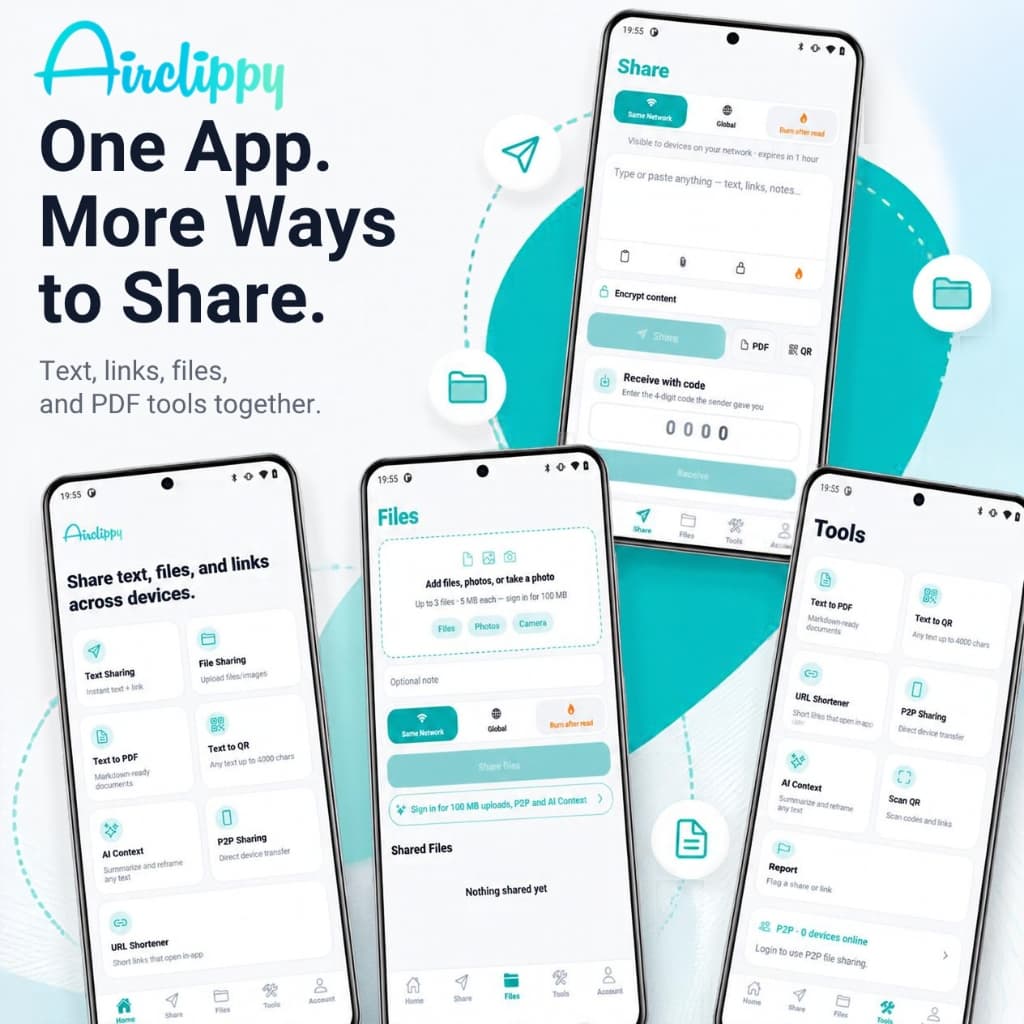
One App. More Ways to Share
Text, links, files, and PDF tools unified in one mobile app.
Features
Everything you need to move content between devices
Every feature below is live on Airclippy today.
Text, links, and notes
Paste a note, tap Share, and open it on the other device with a 4-digit code, a link, or a QR code.
Share textA code, a link, and a QR code for every share
Each share gets a 4-digit receive code, a shareable link, and a QR code. Type the code on the other device, send the link, or scan the QR code — whichever is quickest.
Receive with a codeFiles and images
Attach files by clicking or dragging and dropping: up to 5 MB as a guest and up to 200 MB when signed in.
Optional password encryption
Lock a text note with your own password or an auto-generated key. The text is encrypted with AES-GCM in your browser before it is shared.
Burn after read
Send a link-only note that is permanently deleted after it is viewed.
PDF and QR export
Download any shared note as a PDF or turn it into a QR code for quick scanning.
Cross-device
Start on one screen, finish on another
Airclippy runs in the browser on Windows, macOS, Linux, Android, and iOS. Share from a desktop, then open the same note on a tablet or phone — there is no app to install.
Meeting notes: send the slides link before 3 PM →
Code
4821airclippy.com/share/…
Scan to open
Desktop
Received
Meeting notes: send the slides link before 3 PM →
Tablet
Received
Meeting notes: send the slides link before 3 PM →
Phone
Same Network
Same Network shares are easier to pick up on devices using the same Wi-Fi, via the code or link.
Global
Open the note from any internet connection with its link, code, or QR code.
Signed in
Keep shares for up to 1 month, upload files up to 200 MB, and send files directly with P2P.
Why Airclippy
Small advantages that add up
Built for people who move snippets between devices many times a day.
No account needed
Open the page and share. Signing in is optional and only unlocks longer expiry, bigger files, and P2P transfer.
Nothing to install
Works in Chrome, Safari, Firefox, and Edge on phones, tablets, and computers.
Temporary by default
Guest notes expire after 1 hour, so old snippets don't pile up.
No public paste list
Other people's notes are not listed on the page. Recipients open what you send them: a code, a link, or a QR code.
Free core tools
Text sharing, file sharing, PDF export, QR codes, and short links are free to use.
15 languages
Switch the interface language from the header at any time.
Guides
Read before you share
These articles live on the blog. They cover clipboards, privacy, expiry, and when a LAN transfer is faster than a cloud upload.
What Is an Online Clipboard and How Does It Work?
An online clipboard is a web tool that holds copied text so you can paste it on another phone or computer. See how it works, what it stores, and when to use one.
Read articleHow to Copy and Paste Text Between Phone and PC
Copy text on your phone and paste it on your PC without cables, Bluetooth, or emailing yourself. Four methods, with a fast browser clipboard walkthrough.
Read articleOnline Clipboard vs Cloud Storage: What's the Difference?
An online clipboard is for quick copy-paste. Cloud storage is for files you keep. Compare speed, privacy, limits, and when to use each tool.
Read articleOnline Clipboard vs Messaging Apps: Which Is Better for Quick Sharing?
WhatsApp and Slack are for conversation. An online clipboard is for copy-paste. Compare them for speed, privacy, formatting, and clutter-free sharing.
Read article
FAQ
Frequently asked questions
Here you'll find answers to the most common questions about Airclippy.
Still have questions?
Can't find what you're looking for? Read the step-by-step guide or send us a message.
What is an online clipboard?
An online clipboard holds text in the browser so you can paste it on another phone or computer. Airclippy does this with a short-lived share link, a 4-digit code, or a QR code. No account is required for basic use.
How do I share text with Airclippy?
Open airclippy.com/share, paste your text, tap Share, then open the link, scan the QR code, or enter the 4-digit code on the other device.
Do I need an account?
No. Guest shares work without signing in and expire after about one hour. Signing in is optional and unlocks longer expiry and larger file uploads.
How long does a share last?
Guest notes expire after about one hour. Signed-in users can choose 1 day, 7 days, or 1 month. You can also send a link that deletes itself after it is viewed.
Is sharing text online private?
Treat a share like sending a postcard unless you turn on encryption. Anyone with the link or code can open it. Do not paste passwords, bank details, or medical information.
Where can I read longer guides?
The Airclippy blog has original guides on clipboards, copying between a phone and a PC, privacy, expiry, and transferring files over a local network.
What is AI Context Vault?
AI Context Vault is private storage for chat context you want to hand to an AI agent. It is separate from clipboard shares and is only available to you or agents you authorize with a token.